June 30, 2026
Dotfiles — g0dots chezmoi
My personal dotfiles managed with chezmoi. This post walks through the install process, the directory layout, and how each piece fits together — useful if you're considering chezmoi for your own setup, or just curious how a Wayland-focused Linux desktop hangs together.
Install
./install.sh
The script does five things, in order:
- Updates the system with
paru(Arch-based AUR helper). - Installs the rest of the dependencies through
paru. - Installs the SilentSDDM login theme.
- Installs
zedandopencodefrom their respective sources. - Applies the dotfiles tracked in this repo.
That's it. No Ansible, no Puppet, no custom DSL — just chezmoi apply and
a thin bash entrypoint that calls it after the package layer is ready.
Architecture overview
Everything lives under private_dot_config/, which chezmoi templates
straight into ~/.config/. The directory map roughly mirrors the system
it configures:
private_dot_config/
├── niri/              # Window manager
├── ghostty/           # Terminal + themes
├── waybar/            # Status bar
├── rofi/              # App launcher + scripts
├── mako/              # Notification daemon
├── hypr/              # Screen locker + idle
├── fastfetch/         # System info
├── gtk-3.0/           # GTK3 theme
├── gtk-4.0/           # GTK4 theme
├── zed/               # Editor config + theme
└── systemd/user/      # User services
The split between hypr/ (locker) and niri/ (compositor) is unusual
— most setups using niri would store everything under niri/. The reason
is that hyprlock and hypridle are still used here even though the
compositor is niri, because nothing equivalent has matured yet for
scrollable-tiling Wayland compositors.
Window manager — niri
niri is a scrollable tiling Wayland
compositor — think i3 semantics with a horizontal scroll axis instead of
a tree. Config lives at private_dot_config/niri/config.kdl.
The keymap I'm using:
| Key | Action |
|---|---|
Mod+Return |
Open terminal (ghostty) |
Mod+Space |
Open app launcher (rofi) |
Mod+V |
Open clipboard manager |
Mod+B |
Change wallpaper |
Mod+Shift+Escape |
Power menu |
Mod+1-9 |
Switch workspace |
Mod+Q |
Close window |
Mod+F |
Maximize column |
Print |
Screenshot |
Two services start automatically with the session: waybar for the bar,
and wl-paste --watch clipvault store for clipboard history.
Terminal — ghostty
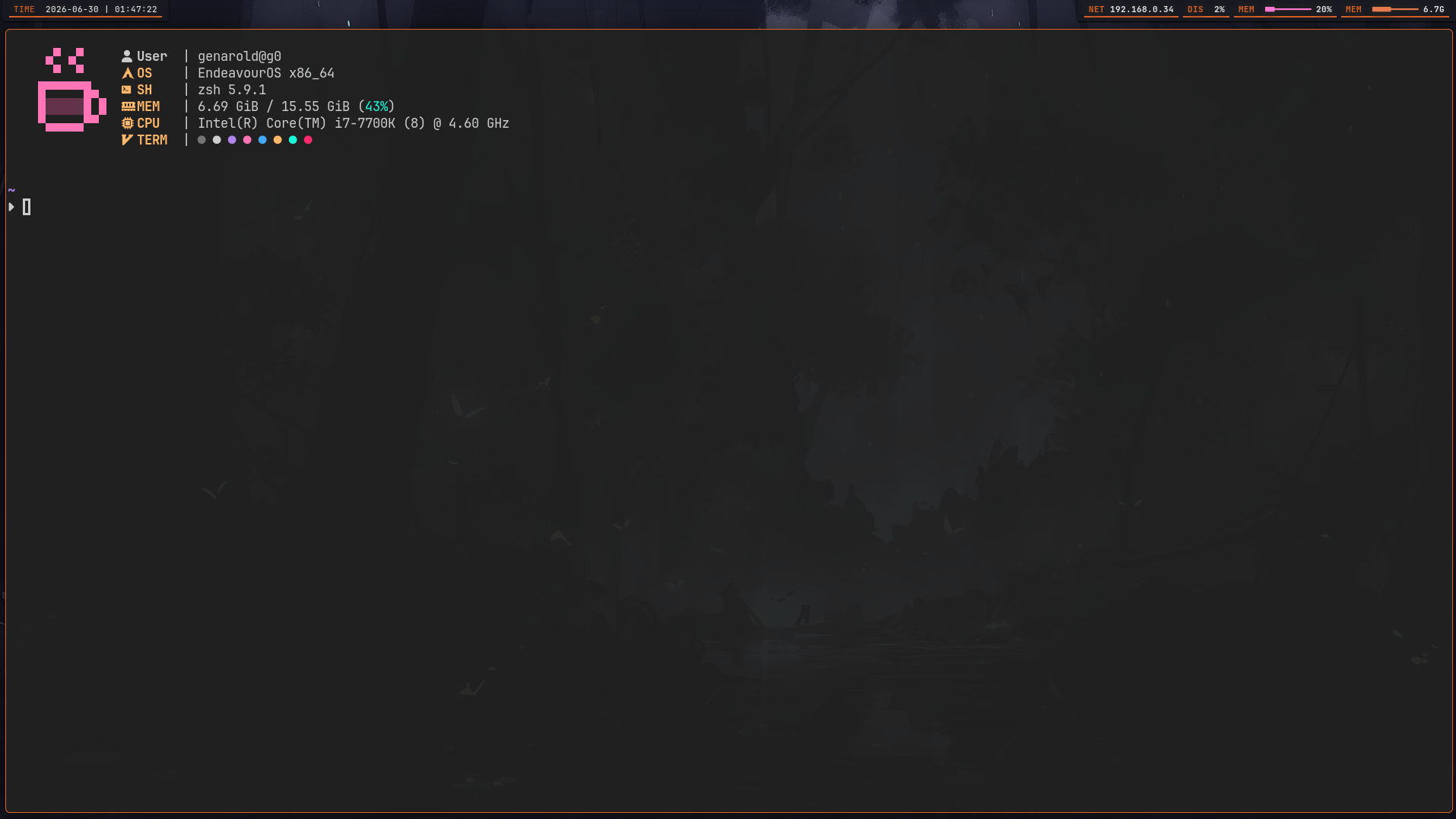
Ghostty is the daily-driver terminal here. Config
lives at private_dot_config/ghostty/config.
Three themes cycle through the rotation:
panda— the default, darkstardust— warmer darkcatppuccin-macchiato— pastel dark
Font is JetBrainsMono Nerd Font, which provides the icons that waybar, rofi, and prompt glyphs all depend on.
Splits use ctrl+h/j/k/l for navigation, cmd+h/l for tabs, and
super+ctrl+h/j/k/l to resize.
Status bar — waybar
waybar is a 24px bar pinned to the top of the screen. The config is
split across three files for clarity: config.jsonc (modules and layout),
style.css (geometry and typography), color.css (palette tokens — same
colors as the GTK themes so the whole UI stays consistent).
The current setup only ships the clock module. Adding more (network,
battery, audio) is a matter of enabling modules in config.jsonc —
their styling is already routed through color.css.

Launcher — rofi
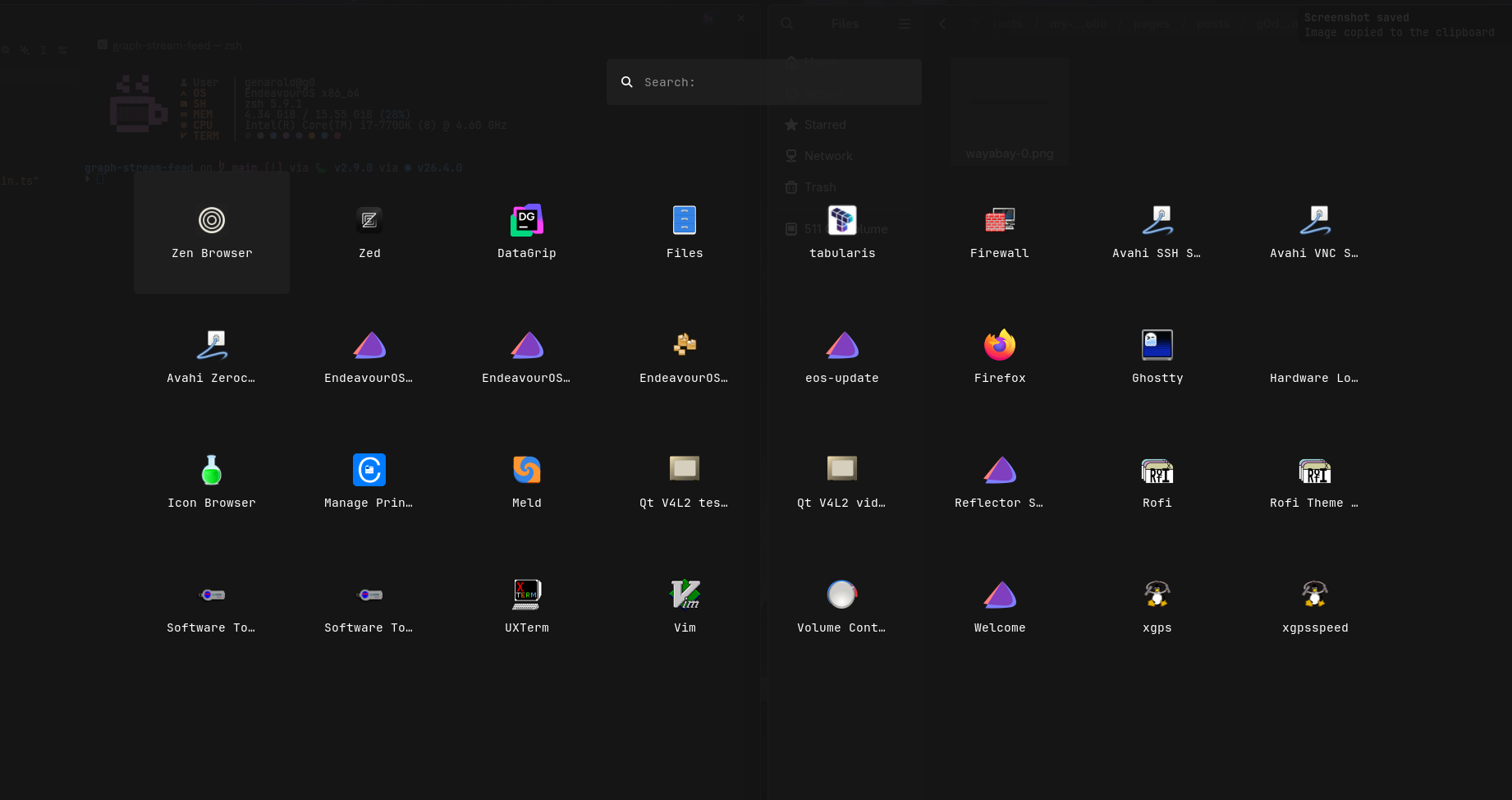
rofi does more than launch apps here. It also handles:
| Script | Purpose |
|---|---|
rofi-launcher |
App drawer (drun mode) |
rofi-clipboard |
Clipboard history via clipvault |
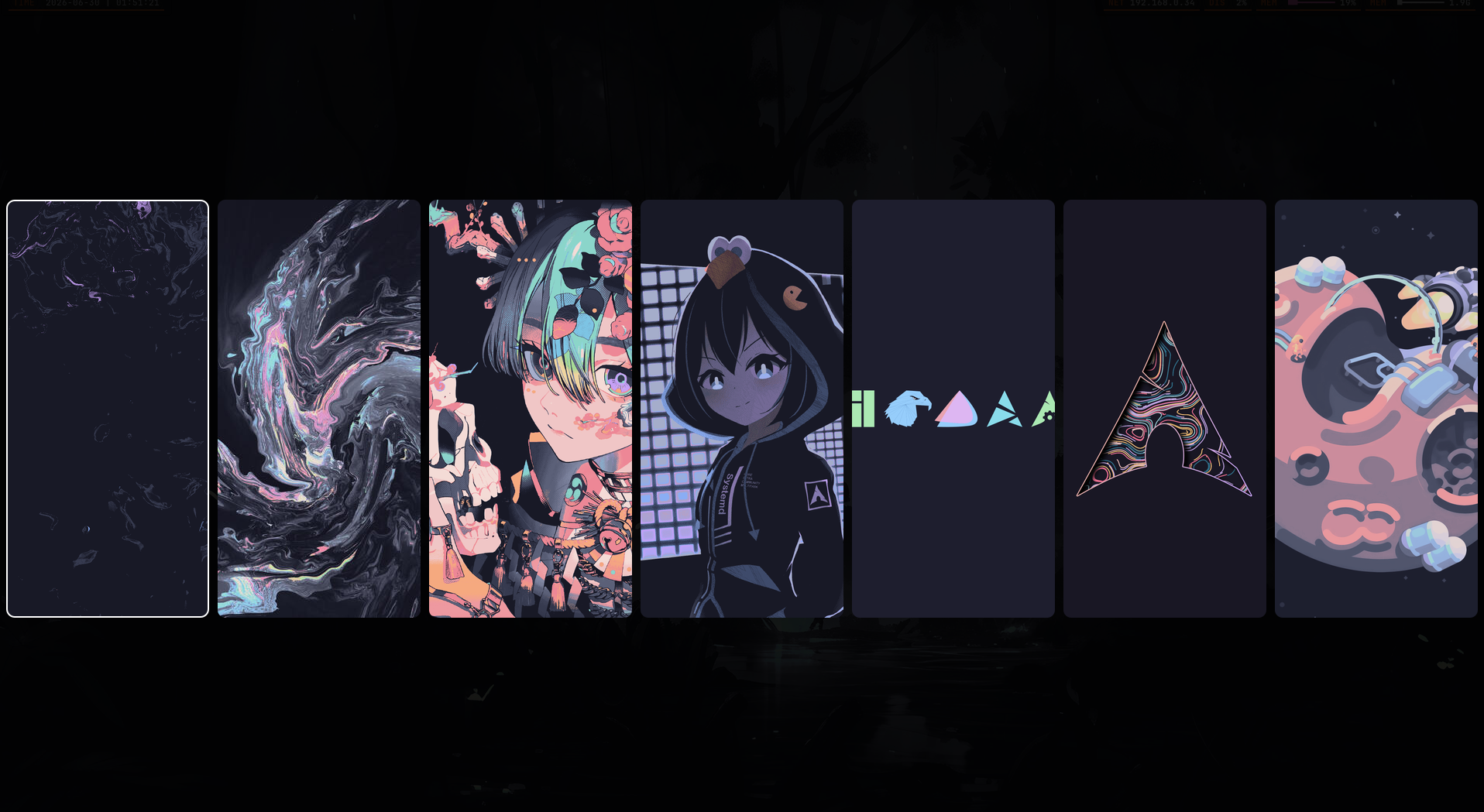
rofi-bgselector |
Wallpaper selector |
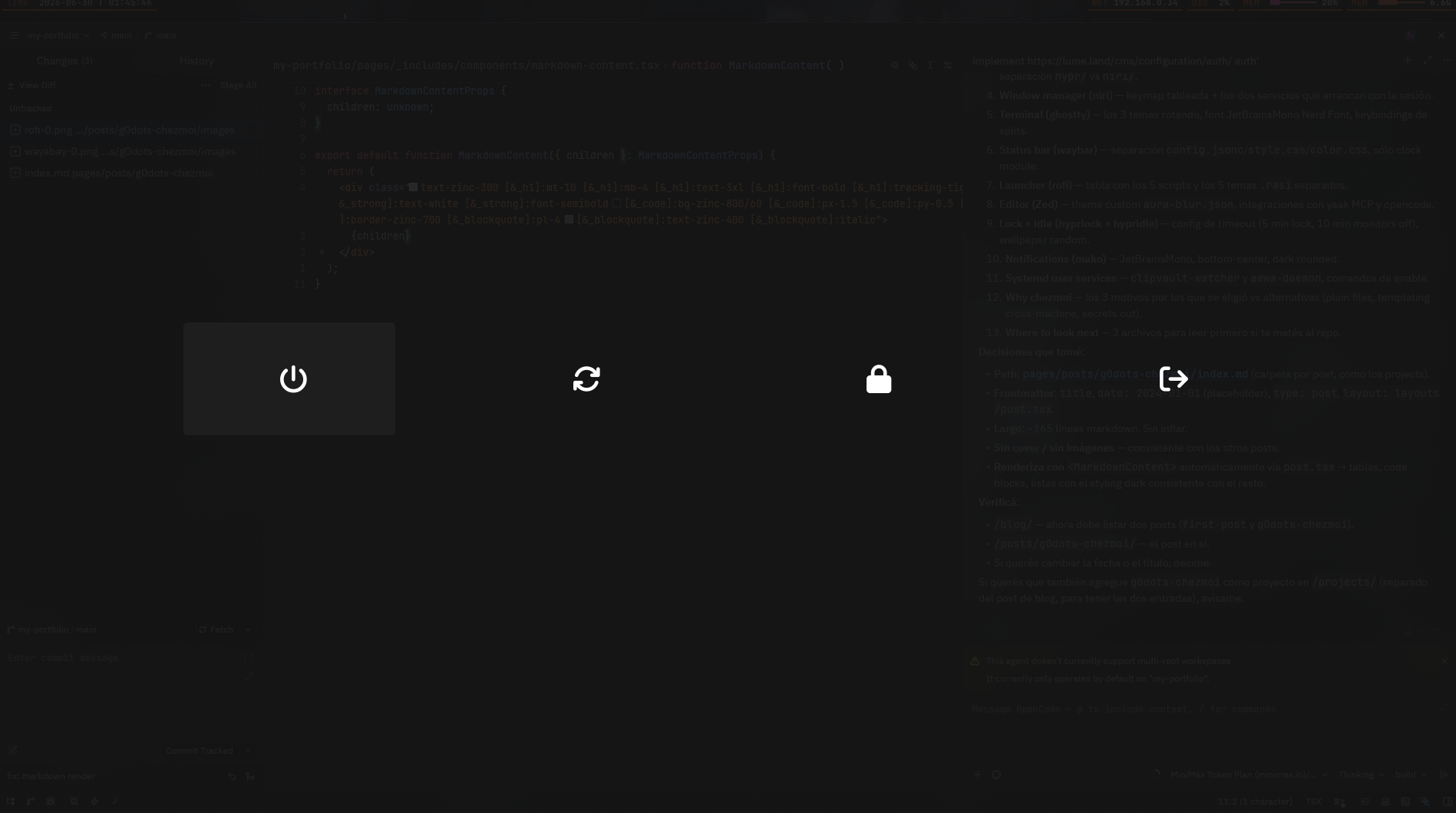
rofi-powermenu |
Shutdown / reboot / lock / logout |
rofi-confirm |
Generic confirmation dialog |
Each script has its own .rasi theme — appdrawer.rasi,
powermenu.rasi, clipboard.rasi, bgselector.rasi, confirm.rasi —
so the visual language can shift per context without rewriting rofi
calls.
Editor — Zed
zed is configured under private_dot_config/zed/, including a custom
theme at themes/aura-blur.json (Vesper Blur base with a darker
overlay).
Two integrations worth noting:
- yaak MCP server for remote AI assistance.
- opencode agent server for in-editor coding workflows.
Both are wired through Zed's settings, not external scripts.
Lock + idle — hyprlock + hypridle
hyprlock config sits at private_dot_config/hypr/hyprlock.conf,
hypridle at hypridle.conf. The lock script lockbg.sh picks a random
wallpaper from ~/.config/niri/walls and shows a face icon sourced from
the SDDM theme.
Idle behavior:
- 5 minutes idle → lock screen
- 10 minutes idle → monitors off
On wake, niri is configured to bring monitors back up so the session isn't stranded on a black screen.
Notifications — mako
mako is a tiny Wayland notification daemon. The config sets JetBrainsMono
as the font, positions notifications at bottom-center, and styles them
with rounded corners on a dark surface. Volume / mute notifications route
through the same daemon so audio events get the same visual treatment.
Systemd user services
Two services are enabled per-user:
clipvault-watcher.service— watches clipboard changes and writes them toclipvault's store. This is what makesMod+V(or the rofi clipboard script) show actual history.awww-daemon.service— the wallpaper daemon. Waybar and the rofi bgselector both rely on it being up.
Both services live at ~/.config/systemd/user/ and can be enabled with
systemctl --user enable --now <name>.service.
Why chezmoi
chezmoi was picked over alternatives for a few reasons:
- Plain files: dotfiles stay readable, diffable, and reviewable on GitHub. No special DSL to learn.
- Cross-machine templating: the same repo can target different hosts
via
chezmoi init+.chezmoi.tomloverrides. - Secrets handling: secrets stay out of the repo, sourced from
environment variables or
passat apply time.
The trade-off is that anything too dynamic (live workspace state, ephemeral tokens) doesn't fit the model and stays out of the repo.
Where to look next
If you're curious about a specific piece, the most self-contained ones to read first are:
private_dot_config/rofi/— small, scoped scripts with their own themes. Good template for adding a new rofi mode.private_dot_config/hypr/lockbg.sh— short bash glue between hypridle and aww / random wallpapers.private_dot_config/zed/themes/aura-blur.json— a custom theme on top of an existing one, useful as a starting point for your own.